CASE STUDY / 02FULL-STACK SYSTEM · AUTOBIOGRAPHICAL DESIGN · FIELD STUDY

FamilyCanvas

A shared digital whiteboard calendar exploring how blended families coordinate schedules, maintain awareness, and participate across ages, tools, and household boundaries.

RoleSoftware Engineer / Research Assistant
OrganizationSimon Fraser University
Duration5-month design · 4-month use · 5-week field study
OutcomeMaster’s thesis · ACM CHI EA · 2026
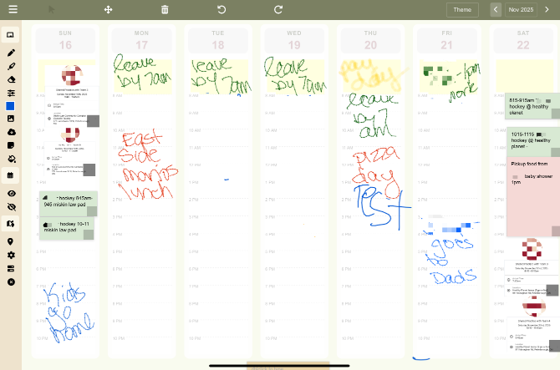
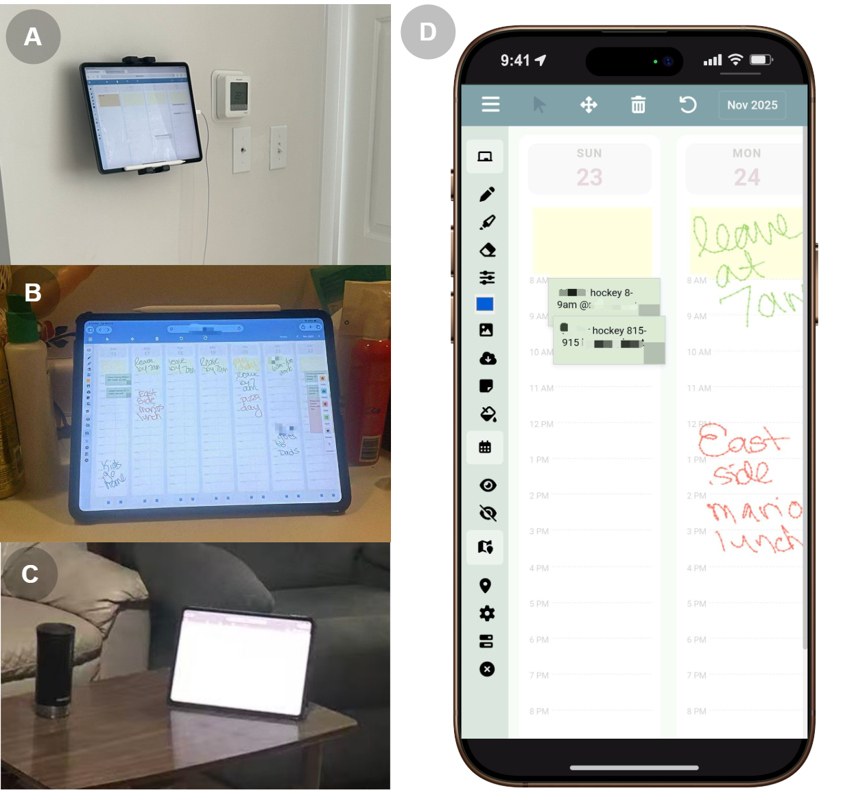
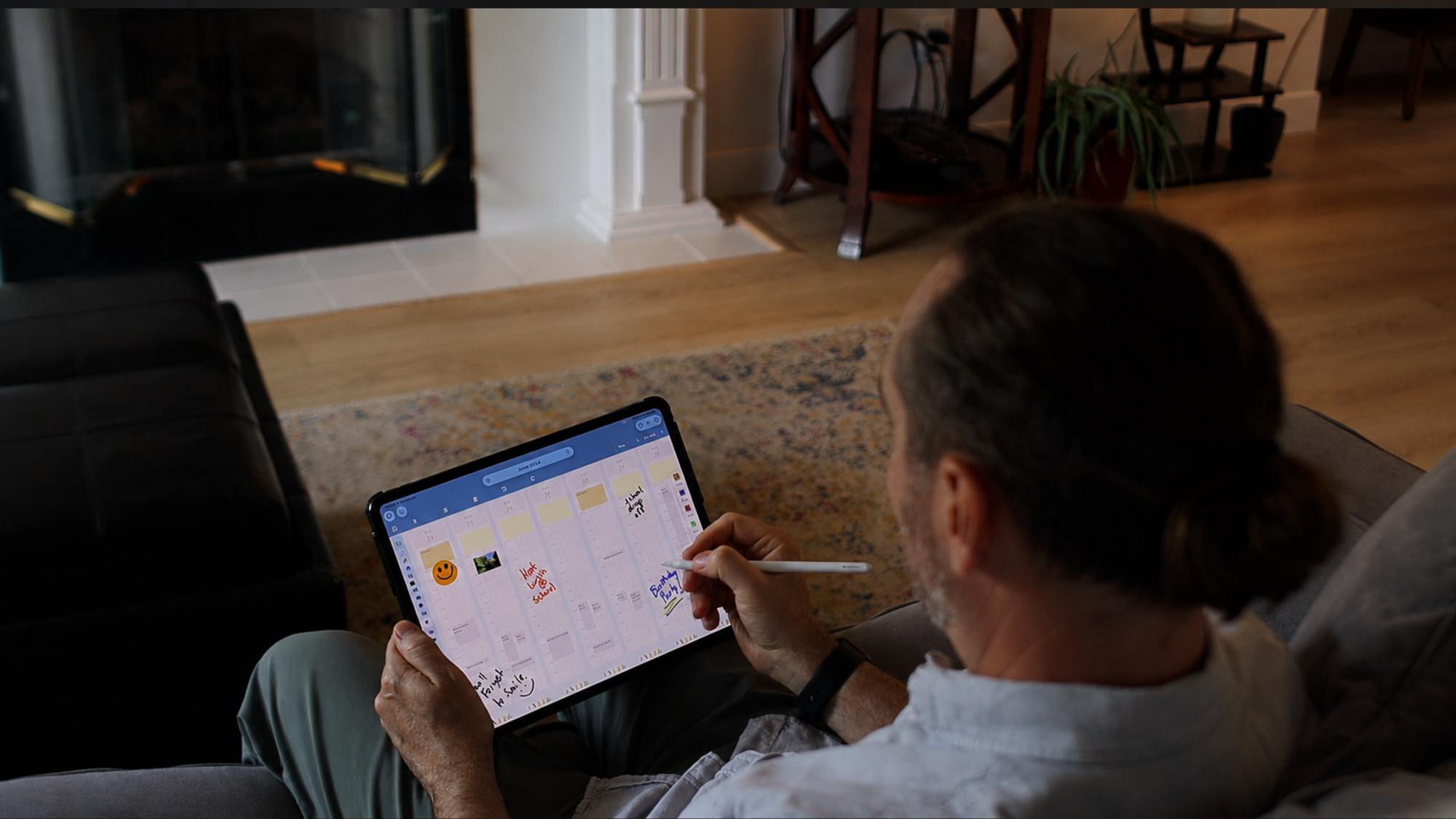
FamilyCanvas being used on a tablet in a family home
01 / CONTEXT & PROBLEM

Family life can span ages, relationships, and more than one home.

Blended families bring partners and children from previous relationships into a shared household. When mixed custody arrangements are involved, children periodically transition between homes while family members of different ages coordinate routines and maintain awareness across distance. Relationships among parents, former partners, stepparents, stepsiblings, and children can also shape what information is appropriate to share—and with whom.

The design gap identified in prior work

Most digital family calendars assume cohabitation within one home and remain largely parent-centered. Co-parenting tools tend to support adult negotiation or information exchange, while children are often passive recipients. At the same time, much foundational family-calendar research predates today’s cloud synchronization, mobile access, and contemporary blended-family arrangements.

What this project set out to explore

FamilyCanvas asked how a digital calendar could remain visible inside one blended household, be remotely accessible to its members across ages, and account for sensitive relationships—without attempting to directly connect multiple co-parent households.

Across homesChildren may move periodically between households under mixed custody arrangements.
Across agesAdults and children differ in calendar literacy, devices, roles, and interaction preferences.
Across boundariesVisibility within a blended household or from another home must account for sensitive relationships and boundary management.

Scope: FamilyCanvas supports coordination within a blended household and remote access for its members. It was not designed to directly connect or coordinate two co-parent households.
02 / AUTOBIOGRAPHICAL DESIGN

Design assumptions were tested inside everyday family life.

I designed and built FamilyCanvas through a nine-month autobiographical deployment in my supervisor’s blended-family household: five months of iterative design and development, followed by four months of continued use without further design iterations. This situated process provided access to a sensitive context that would have been difficult to understand through short interviews alone.

9 MONTHSObserve → build → deploy → reflect → revise
  1. Start from household practice. A shared Outlook calendar already helped the parents coordinate, but its information was not readily visible to children.
  2. Introduce a shared surface. An always-on iPad placed FamilyCanvas in a high-traffic area for lightweight, at-a-glance access.
  3. Iterate from emerging needs. Time references, automatic scrolling, external-calendar synchronization, and location awareness were added as real use exposed missing context and maintenance costs.
  4. Challenge the design assumptions. Children rarely maintained or remotely checked the calendar, and scheduling remained parent-led—important evidence that access alone does not create participation.

Expected use versus observed practice

I expected frequent glances, collaborative maintenance, remote checking, informal messages, and photo sharing. In practice, these behaviors were selective or absent in the first household. Rather than treating that mismatch as failure, I used it to shape the field study: would the same patterns appear in families outside the research team?

03 / SYSTEM DESIGN

Structured time underneath; flexible family expression on top.

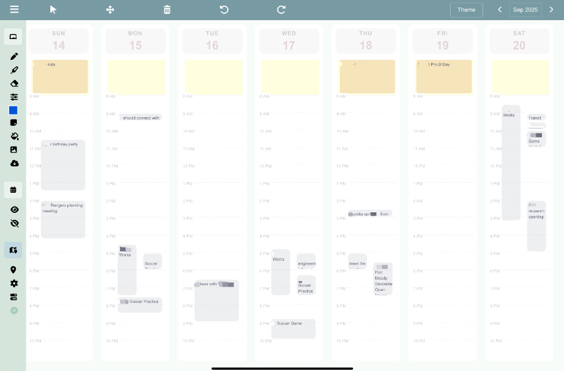
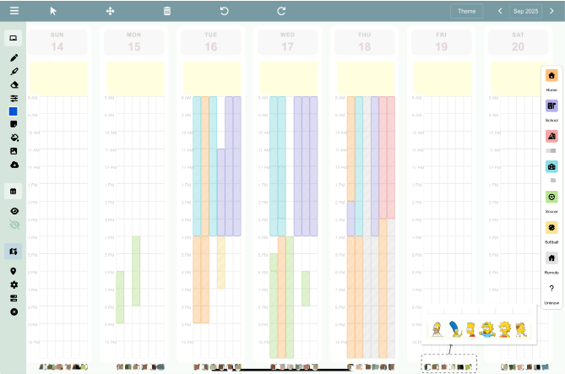
FamilyCanvas is a responsive, cloud-hosted web application designed for shared iPads and remote phones. Its core design places an always-available whiteboard interaction surface over two optional information layers: a structured calendar and a spatiotemporal location view.

Vanilla JavaScriptHTML CanvasNode.jsExpressREST / JSONWebSockets / WSSICAL.jsICSHelmet CSP
CLIENT / SHARED IPAD + PHONEResponsive browser application

Vanilla JavaScript composes the weekly interface. DOM elements support notes and photos; HTML Canvas handles pen and touch drawing. The same client adapts from an always-available household display to remote phone access.

WhiteboardCalendar viewLocation view
COMMUNICATIONHTTPS + WSS⇄REST / JSONWebSocket updates
SERVER / DATA / INTEGRATIONSNode.js + Express service

The backend persists household and weekly state, broadcasts changes to connected displays, and fetches configured calendar feeds. Data is separated by authenticated household and content type.

REST persistenceReal-time syncHousehold stateICS cache

Two system pipelines

PIPELINE 01 / FAMILY COLLABORATIONPersist an interaction, then synchronize every connected display.
CLIENTInteract

A family member draws, adds a note or photo, or edits location information.

→
RESTSave state

The client sends the affected household, week, and content state to Express.

→
SERVERPersist

The backend writes the isolated state and identifies the originating device.

→
WEBSOCKETBroadcast

A WSS message notifies the other connected household displays.

→
CLIENTSPatch the view

Other devices update DOM content or redraw the canvas without reloading.

PIPELINE 02 / CALENDAR INTEGRATIONReuse existing schedules instead of asking families to recreate them.
EXTERNAL SOURCEPublish feed

A household’s existing Outlook or Google calendar exposes a configured ICS feed.

→
SERVERFetch & cache

The Node.js service periodically retrieves and caches the feed.

→
RESTRetrieve

The browser requests the household’s cached calendar data.

→
CLIENTParse events

ICAL.js resolves event and recurrence information in the browser.

→
INTERFACECompose layers

Calendar context appears beneath the always-available whiteboard interaction surface.

REST handles request-response persistence and retrieval; WebSocket maintains a long-lived channel for cross-device updates. The deployed study system encrypted these paths with HTTPS and WSS and kept each household’s files and application state separate.

04 / FIELD STUDY

Two more families appropriated the system on their own terms.

After the autobiographical phase, I deployed the stable system with two additional North American blended families for five weeks. Each family selected the iPad’s location and used any features they found useful; the goal was to understand appropriation, not force a prescribed workflow.

2Additional families
5 wk.In-home deployment
4 × 2Semi-structured interviews

Evidence collected

Four interviews per family traced changing practices across the deployment and follow-up. Interaction logs provided contextual triangulation. I transcribed the interviews and conducted open, axial, and selective coding, while discussing emerging interpretations with my supervisor. The study received SFU research ethics approval.

05 / FINDINGS

Value emerged through selective visibility—not total adoption.

Before introducing FamilyCanvas, the field study characterized family scheduling and connection as heavy, uneven, and fragmented, with asymmetric information visibility and unstable or restricted remote connection. The findings below describe what changed—or did not—once the system entered everyday use.

  • 01 / LOW FRICTION
    Whiteboard interactions became the center of use.

    Children drew test reminders; parents placed sports posters as zoomable photos; short notes externalized changing routines without formal event entry.

  • 02 / ECOLOGY
    FamilyCanvas complemented existing tools.

    It surfaced selected household-relevant plans while personal calendars, school planners, paper calendars, and messaging retained their own roles.

  • 03 / SITUATED ACCESS
    A shared display helped only when it fit a routine.

    A washroom counter supported morning checking; a coffee table supported daily glances, but families later recognized the kitchen as a stronger calendaring location. “High traffic” alone was not enough.

  • 04 / REMOTE ACCESS
    Technical access did not become habitual connection.

    Remote checking remained rare. Younger children tended to focus on the household immediately around them and did not remember to check the other home; device availability, small-screen usability, and relational boundaries further constrained use. Families also wanted control over which household or child-related information could be visible from another home.

  • 05 / PARTICIPATION
    Awareness improved, but labor did not become equal.

    One family remained mother-led with a child as a secondary contributor; the other was child-led while parents mainly read and assisted. The system reduced some reminders and missed activities without redistributing all scheduling work.

06 / DISCUSSION

Design family calendars as awareness infrastructure.

  • SHARED AWARENESS
    Optimize for lightweight externalization, not exhaustive scheduling.

    A useful household calendar can surface a carefully selected subset of plans without becoming the authoritative store for every event.

  • SITUATED ACCESS
    Access is behavioral and spatial—not merely responsive.

    Design for the devices people actually have, the places they naturally encounter, and the moments when checking or updating can become routine.

  • ASYMMETRIC ROLES
    Support different degrees of participation.

    Children need age-appropriate, low-effort ways to contribute without inheriting adult coordination work; readers and occasional contributors matter too.

  • BOUNDARIES
    Make visibility selective and negotiable.

    Cross-household design should support scoped views—such as child-activity sharing—rather than assume that more information is always beneficial.

07 / LIMITATIONS & NEXT STEPS

An exploratory foundation, not a universal family model.

The study combined deep situated access with a deliberately small sample. Early design assumptions were shaped by one household and by its most active adult organizers; interviews also centered the most engaged users. Children varied in age and device access, limiting what remote-use findings can establish.

01Broaden contexts

Study more family structures, cultures, custody arrangements, and longer-term deployments.

02Hear quieter voices

Use diaries and lightweight feedback to include resistant, peripheral, and low-engagement members directly.

03Design beyond phones

Explore remote awareness that does not assume every child owns or can consistently access a smartphone.

04Iterate in stages

Refine usability and selective sharing across successive deployments while preserving comparable study conditions.

08 / MY SCOPE & COLLABORATION

A master’s thesis led and built end to end.

  • Served as sole thesis author, system designer, developer, and primary researcher.
  • Designed and implemented the complete responsive client, Express APIs, account-separated persistence, ICS integration, location tools, and WebSocket synchronization.
  • Led nine months of autobiographical design: maintained design records, translated observations into features, and examined mismatches between expected and actual use.
  • Planned and conducted the five-week field study, interviews, system-log analysis, qualitative coding, and synthesis of findings and design implications.
1Student lead
1Faculty supervisor

My supervisor advised the research, participated in the autobiographical-design household, and contributed ongoing reflections, critique, and interpretation. Other household members used the system and shared informal feedback; field-study families participated in the evaluation.

PROJECT VIDEO FamilyCanvas in the home and across devices.
NEXT CASE STUDY / 03Multimodal AI Agent →